Voice · illustrative interval
IPM: magnitude of the available acoustic deviation.
IDM: positive average direction in this example.
Twelve bands: energy distribution, without emotional labels.
FROID Psique / Editorial demonstration
Like two tracks of a musical score, the channels share time but do not say the same thing. Temporal proximity does not prove conflict or causality.
IPM: magnitude of the available acoustic deviation.
IDM: positive average direction in this example.
Twelve bands: energy distribution, without emotional labels.
Family: smile.
Variant: AU6 participation not assessed.
State: recurrence in distinct frames; it is not confirmation of authenticity or feeling.
Repeating the same stored frame does not count as a new observation. The variant needs to reappear in distinct frames.
Expired readings no longer represent the present. The earlier event remains in the history; the current condition reports no assessment.
The facial record can continue. Each channel reports its own capability; the vocal index is not filled in with zero.
The record preserves the origin and state of the information. The useful question is not “which emotion was proven?”, but “what was observed, under what conditions and in what context of the conversation?”.
Every session begins with 60 seconds of calibration. In that interval the system establishes the mean and variability of the patient's resting fundamental frequency, maps the noise profile of the environment and the microphone, and locks the reference values that will be used in all comparisons of that session.
The session is divided into cuts, and they come from three origins. The automatic one closes every 10 minutes. The manual one is yours, through the button over the video or by Ctrl + Space, and is only accepted from 10 seconds after the previous cut. The closing one closes what remains when the session ends — it exists because, without it, the last minutes were lost.
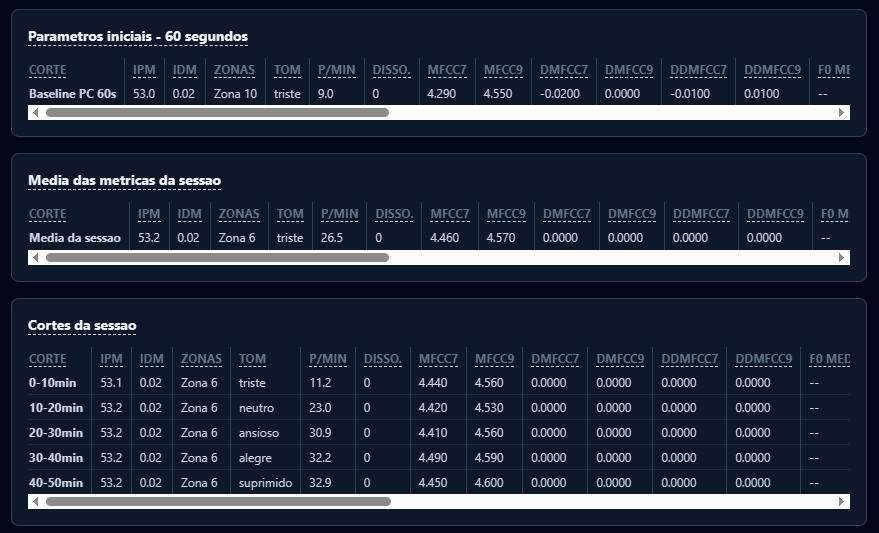
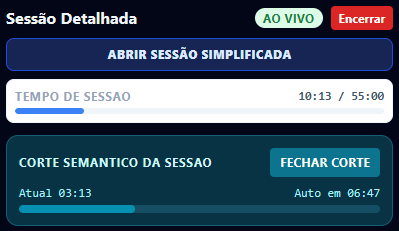
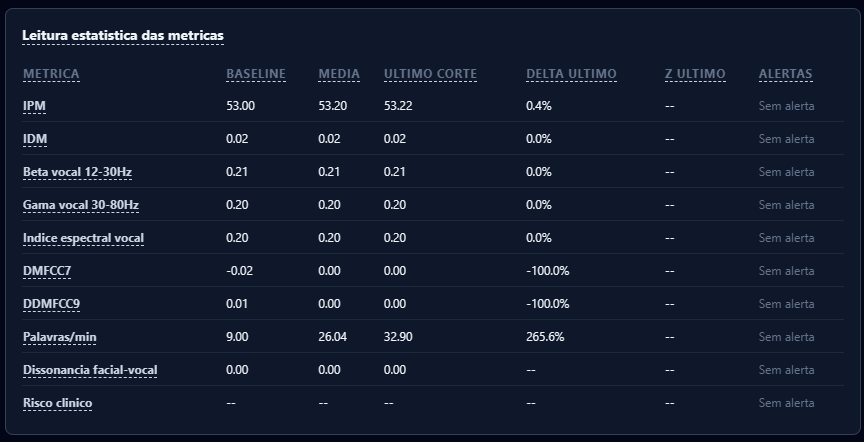
App screenshots. This demonstration page, unlike them, is a synthetic example: it does not run the algorithm nor show a real patient. Click the image to enlarge.